The reader account: four counters and a request timeline
Readers don’t need a transaction history. They need to know three things: is the book ready, when is it due, and is anything overdue. The account is built around those questions.
The reader account is the shortest part of Katlog. That is a deliberate choice: the less on the screen, the faster people see what matters.
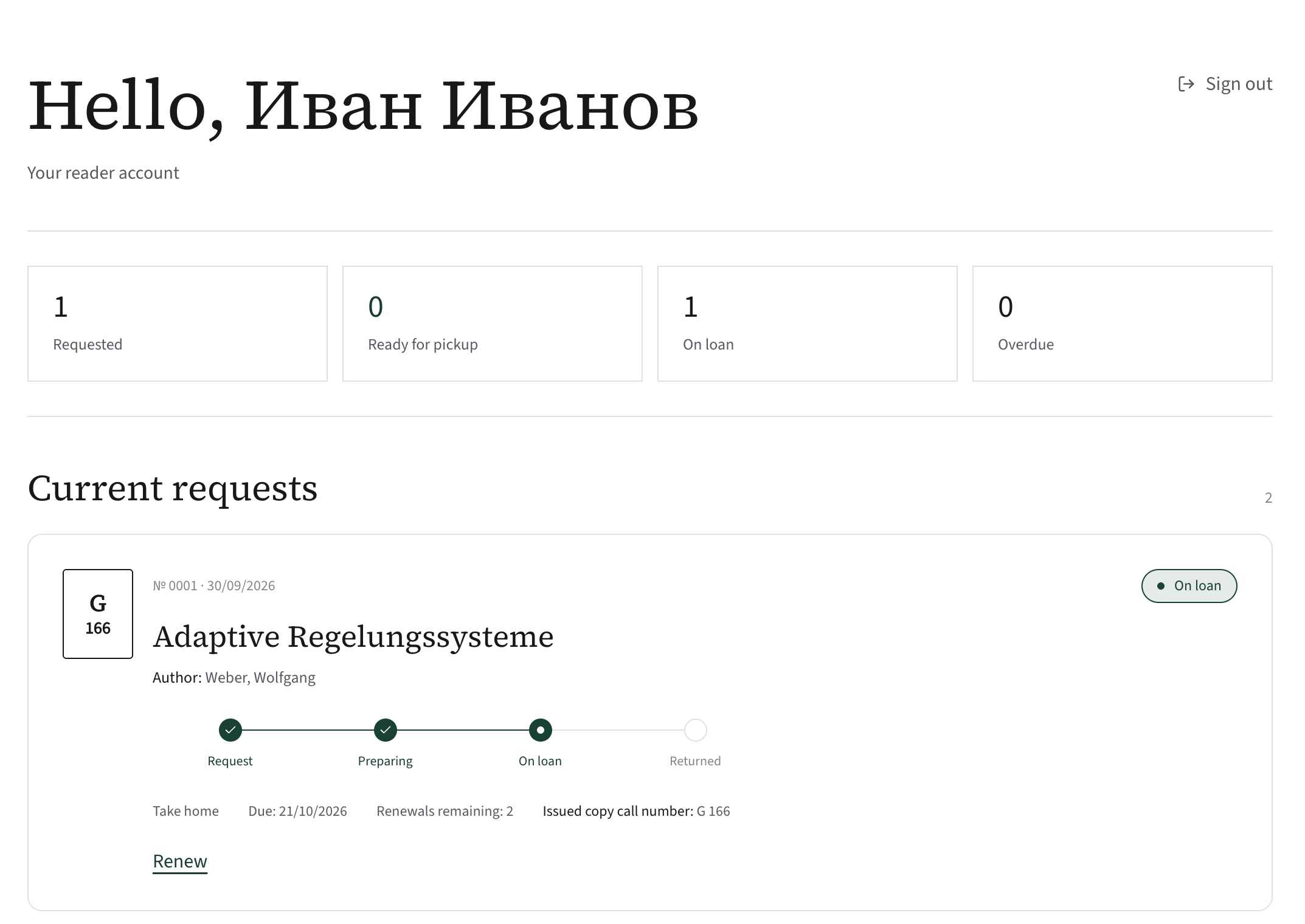
Four counters
At the top: “In progress”, “Ready for pickup”, “On loan”, “Overdue”. The first version written by the agent showed different numbers: “total”, “active”, “in history”. Formally also information, but it answers none of the reader’s questions. The most important event — “the book is ready, come and get it” — wasn’t visible at all.
The request timeline
Every request goes through four stages: requested, ready, on loan, returned. Completed segments are filled in; the current one is in bold. Below the timeline, only the dates that matter: “Pick up by…” for a book that is ready, “Due…” for a loan, and how many renewals are left.
The “New” badge
When the librarian changes a request’s status, the reader sees a green frame and a “New” badge on their next visit. The number of such changes appears on the “My account” tab right in the site header. There are no email notifications yet; this badge stands in for them.
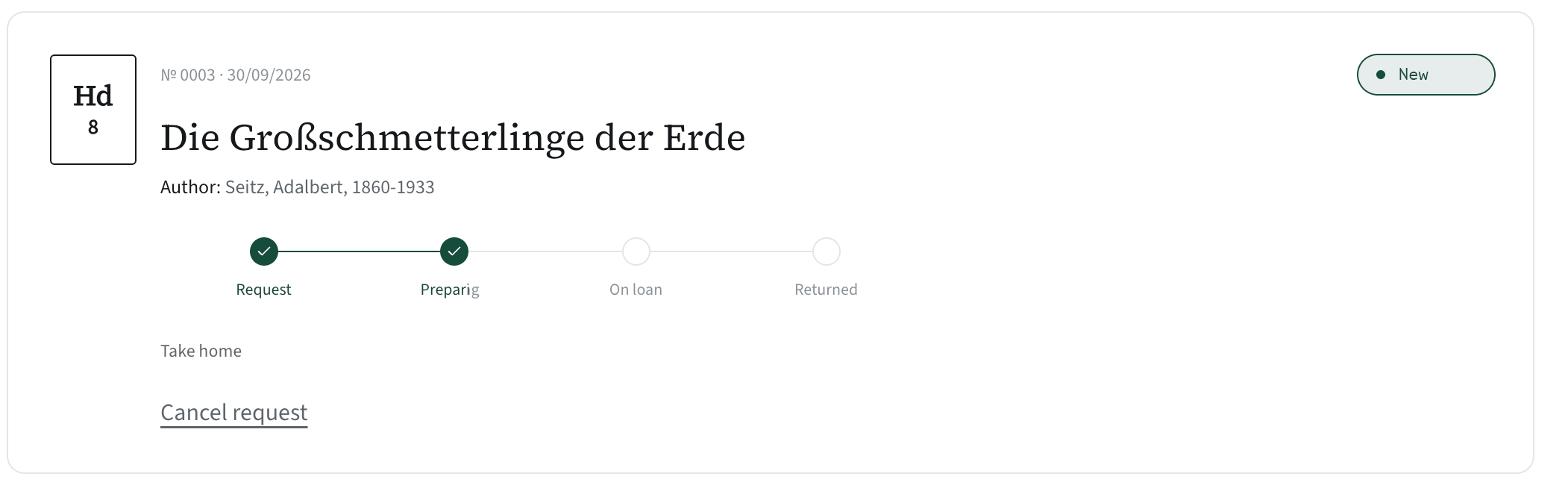
What readers can do themselves
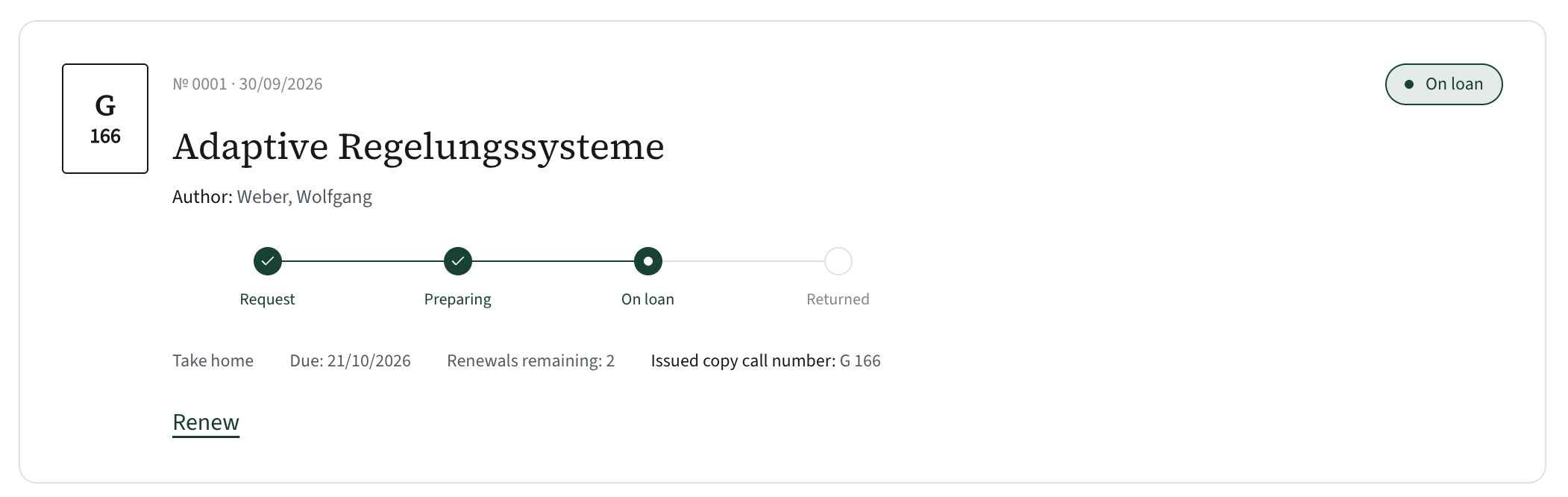
- Renew a book on home loan, as long as it isn’t overdue and renewals remain.
- Cancel a request until the book is issued. If a copy has already been set aside, the librarian will see it under “Return to shelf”.
- Change their password. On first login this is mandatory.