How search works
One line at the top of the page is the catalogue’s main tool. What happens between pressing Enter and the first result — and why “Haeckel Reisebriefe” once found nothing.
Readers rarely think about search. They type a couple of words and expect the right book at the top. Behind that simplicity are several decisions, each of which can be made wrongly.
Case and umlauts
Search ignores upper and lower case and does not require umlauts. “vogel” finds “Vögel”, “koln” finds “Köln”. To achieve this, both the query and the record text are normalised before comparison: diacritics removed, all lower case. A reader with an English keyboard doesn’t need to hunt for “ö”.
Every word separately
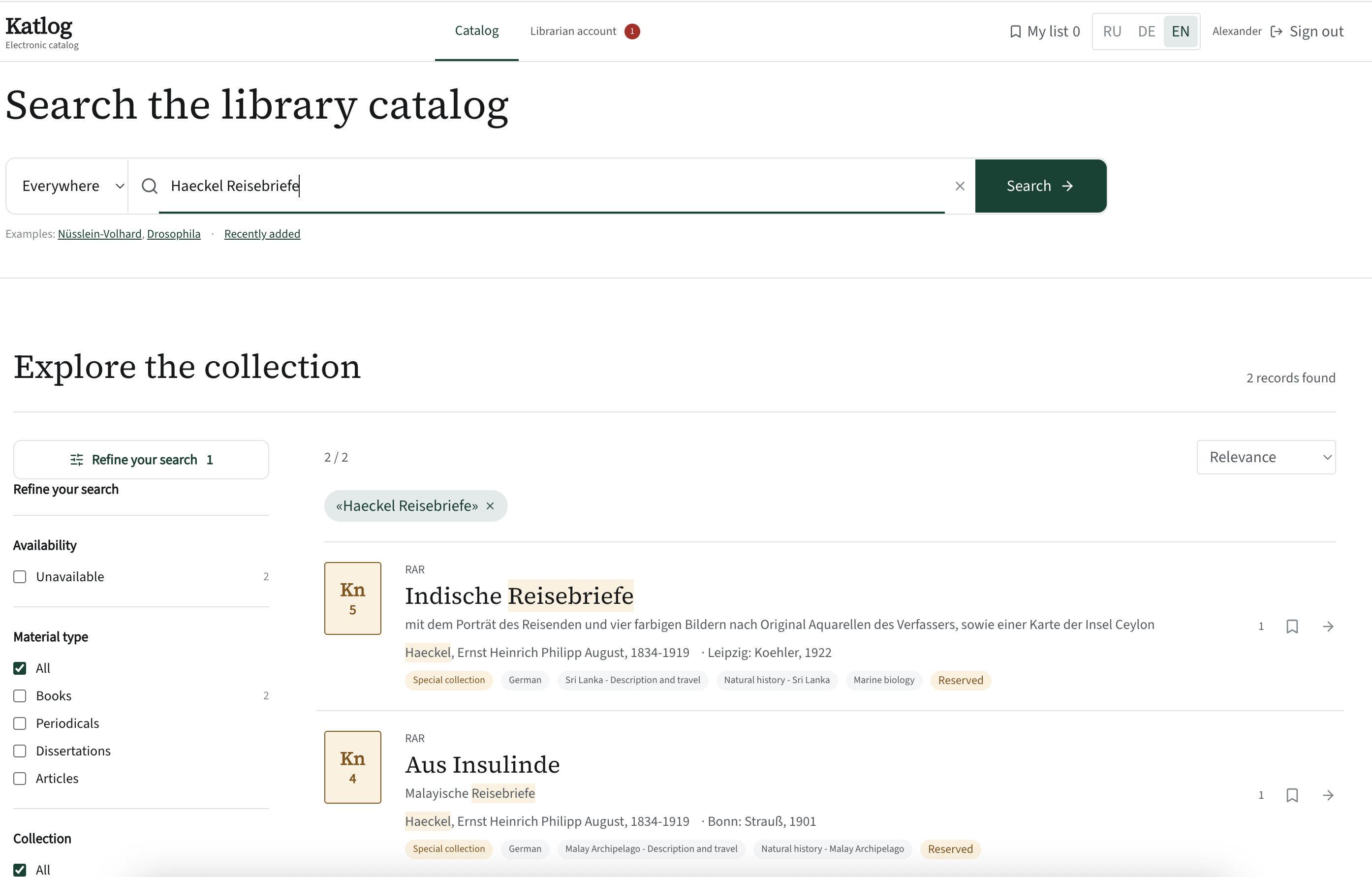
The query is split into words. A record matches if every word is found in at least one field: title, author, subject, series, ISBN or call number. So “Haeckel Reisebriefe” finds the book where Haeckel is the author and Reisebriefe is part of the title.
For an exact phrase, use quotation marks: "Drosophila genetics" finds exactly those two words in a row.
Which book comes first
Matches carry different weights. A word in the title counts more than in the author field. Author counts more than subject; subject more than the remaining fields. A match at the start of a word counts more than one in the middle. And if the whole phrase matches the title exactly, the record rises above everything else.
Besides searching “everywhere”, you can pick a field: title, author, subject, series, ISBN or call number. Call-number search is handy for a librarian holding a book and looking for its record.
Highlighting
Matched words are highlighted in the results — each one separately. It is not decoration: highlighting shows at once why a record was returned and helps discard accidental matches without opening the record.
When nothing is found
An empty result is an answer too, and it should help. Katlog explains that case and umlauts don’t matter and offers a “Search everywhere without filters” button. And the query itself is anonymously recorded in the librarian’s statistics — see “Searched for but not found”.