UI001
Interface walkthrough2 min read
Anatomy of a record page
Six decisions that make up a single record page in the new catalogue — and why each of them is there.
The record page is where readers decide whether they need a book and where to get it. In the old catalogue it was a long table of fields. We started from a different question: what does a person want to know in the first three seconds?
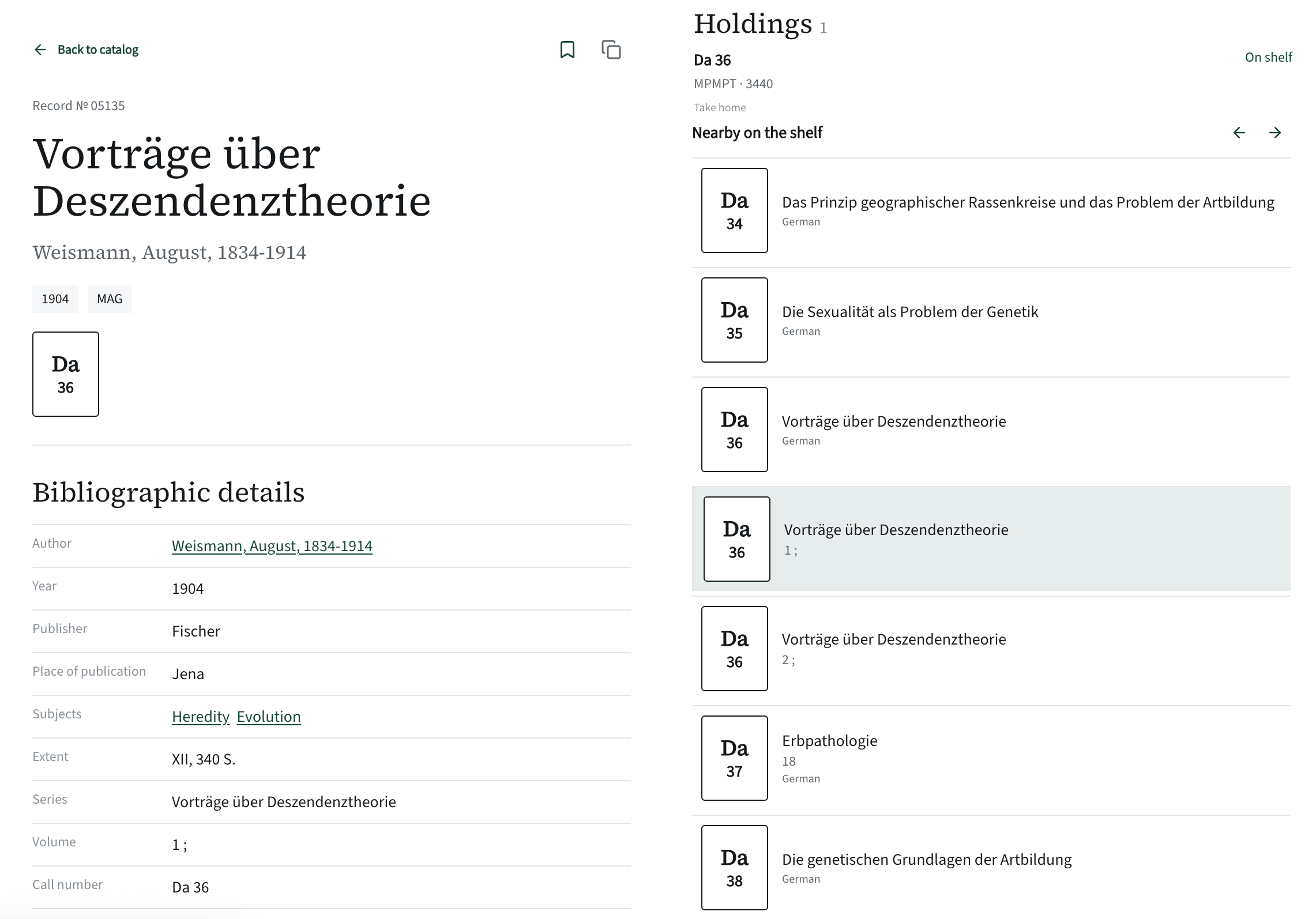
- The call number as a spine labelThe record page shows the call number as a large spine label, like the book on the shelf. The same label appears on every row of the search results.
- Items: where and howEach copy shows its call number, status (“On shelf”) and loan rule (“Home loan”). The “Request” button appears once a reader is logged in; the screenshot shows a guest.
- Bookmark and linkAdd the book to the saved list or copy a link to the record with one click.
- Details after the essentialsThe bibliographic details matter, but they come second. Empty fields are not shown at all.
- Nearby on the shelfThree books before and three after by call number. The current one is highlighted; the arrows move along the shelf.
- A panel over the catalogue“Back to catalogue” — and you are exactly where you were, with the same filters and results.
Why a panel and not a separate page
The record page opens on top of the search results. Close it and you are exactly where you were, with the same filters. For a reader going through a dozen similar editions, this saves more time than any server optimisation. Every record still has its own address and can be sent to a colleague.
What we deliberately left out
- Internal status codes such as “01” and “02” — they mean nothing to readers.
- Fields that are the same for every record.
- The record number is shown in small print above the title: the librarian needs it for cross-checking; readers don’t.
The principleFirst the answer to “is it here, and where”, then the action, then the details. Everything else on the page follows this order.