From a file to a prototype
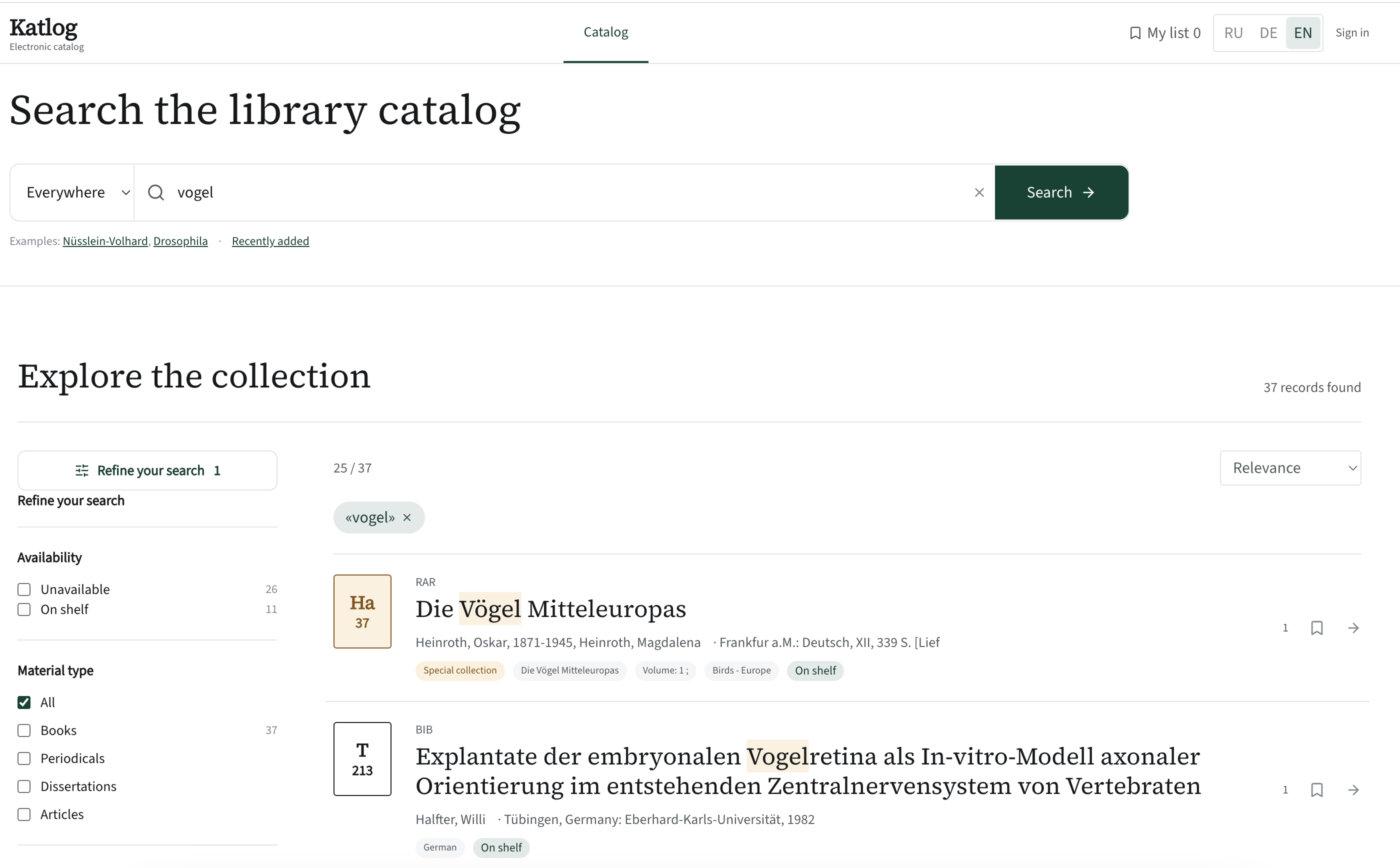
The archive with 6,153 records was sitting on disk. Next question: what could we build for readers from these fields? The answer was a prototype — a single page you could already search.
After the export we had a JSON file — handy for software, useless for readers. The question for the AI was broad: what new features could we offer readers and the librarian, based on the fields that actually exist in the records?
First, study the data
Before sketching any interface, the AI analysed the structure of the records. 6,036 records have call numbers. 4,730 have subject headings — 4,239 distinct ones. The item location lines contained collection codes (BIB, RAR, REF, MAG) and dates. That made it clear which filters would be meaningful and which would be empty.
What went into the prototype
- Instant search that ignores case and umlauts.
- Filters with live counts: availability, type, collection, language, subject, and a histogram of publication years.
- The call number as a spine label, plus “Nearby on the shelf”.
- A saved list with RIS export for Zotero and Citavi.
- Three interface languages and a proper mobile layout.
Then — the accounts
A catalogue without requests is just a shop window. So the next step was two linked workspaces: a reader’s request goes straight into the librarian’s queue, the librarian changes its status, and the reader sees it. We decided to build circulation and item management from scratch, without looking back at Aleph.
Why build a prototype if everything gets rewritten later
The prototype turned out to be not a draft but a reference. When the real system written by the agent lost half of its features, the prototype was what we checked against: this is what the spine label looks like, this is how the filters work, this is how the record page is laid out. Without it, arguments about “how it should be” would have relied on memory.