The librarian’s desk: requests and loans
The reader account answers “where is my book?”. The librarian workspace answers “what do I need to do right now?”. A walkthrough of the screen where the working day begins.
The first version of the request list in Katlog was honest but awkward: one long table of all requests with status filters. To know what to do, the librarian had to switch filters and keep the picture in their head.
Groups instead of filters
Now the “Requests” tab sorts the work by urgency on its own:
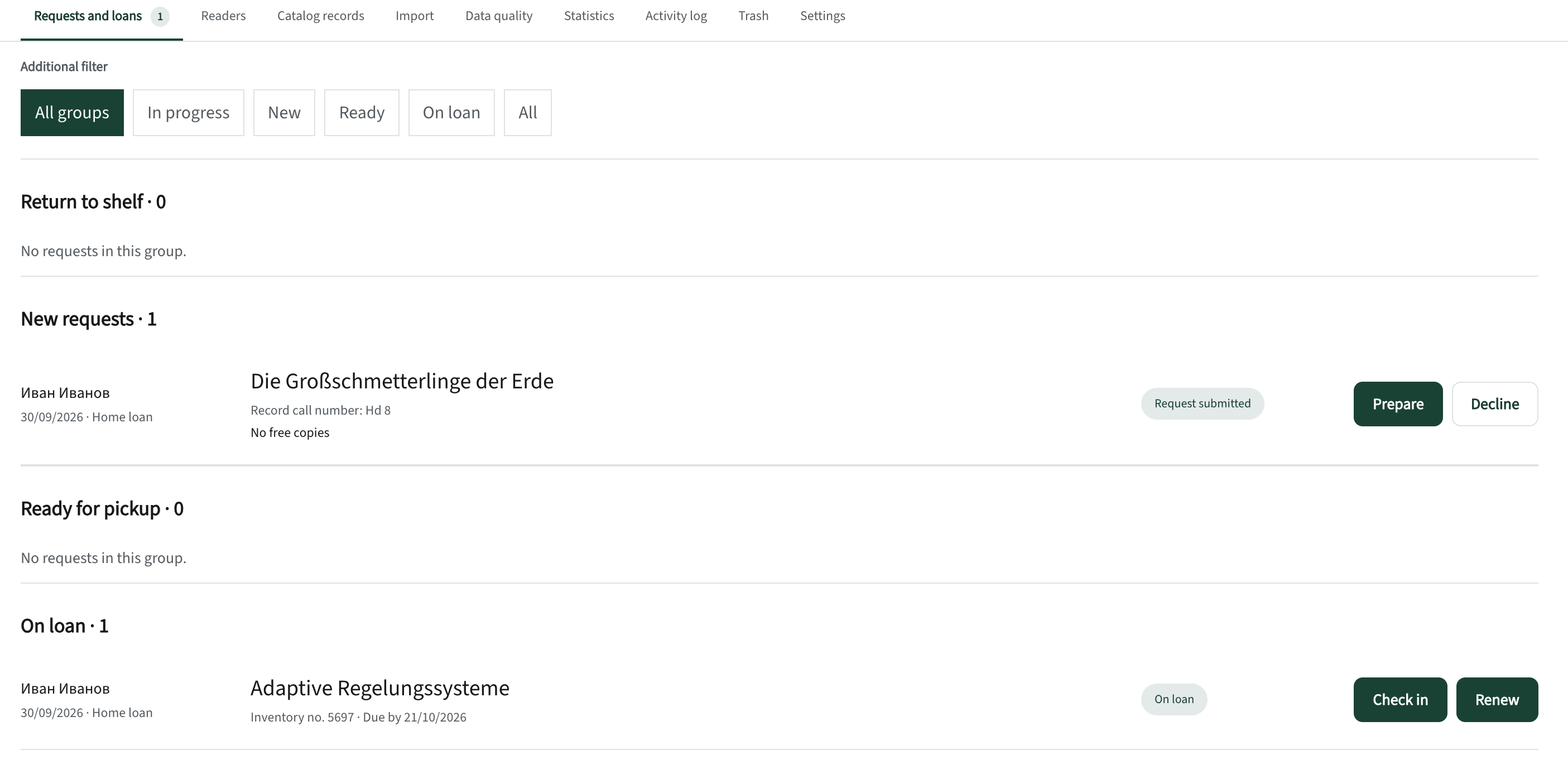
- Return to shelfCopies that were set aside for a request that has since been cancelled. Until they are returned, other readers see the book as unavailable.
- New requestsWith a note whether a suitable copy is free. The “Prepare” button selects the first suitable copy straight away.
- Ready for pickupBooks waiting for their reader. If the hold has expired, the row is red and a “Release hold” button is available.
- On loanOverdue loans are at the top and highlighted in red.
The status filters are still there — as an extra mode for finding a specific request.
Issuing without a request
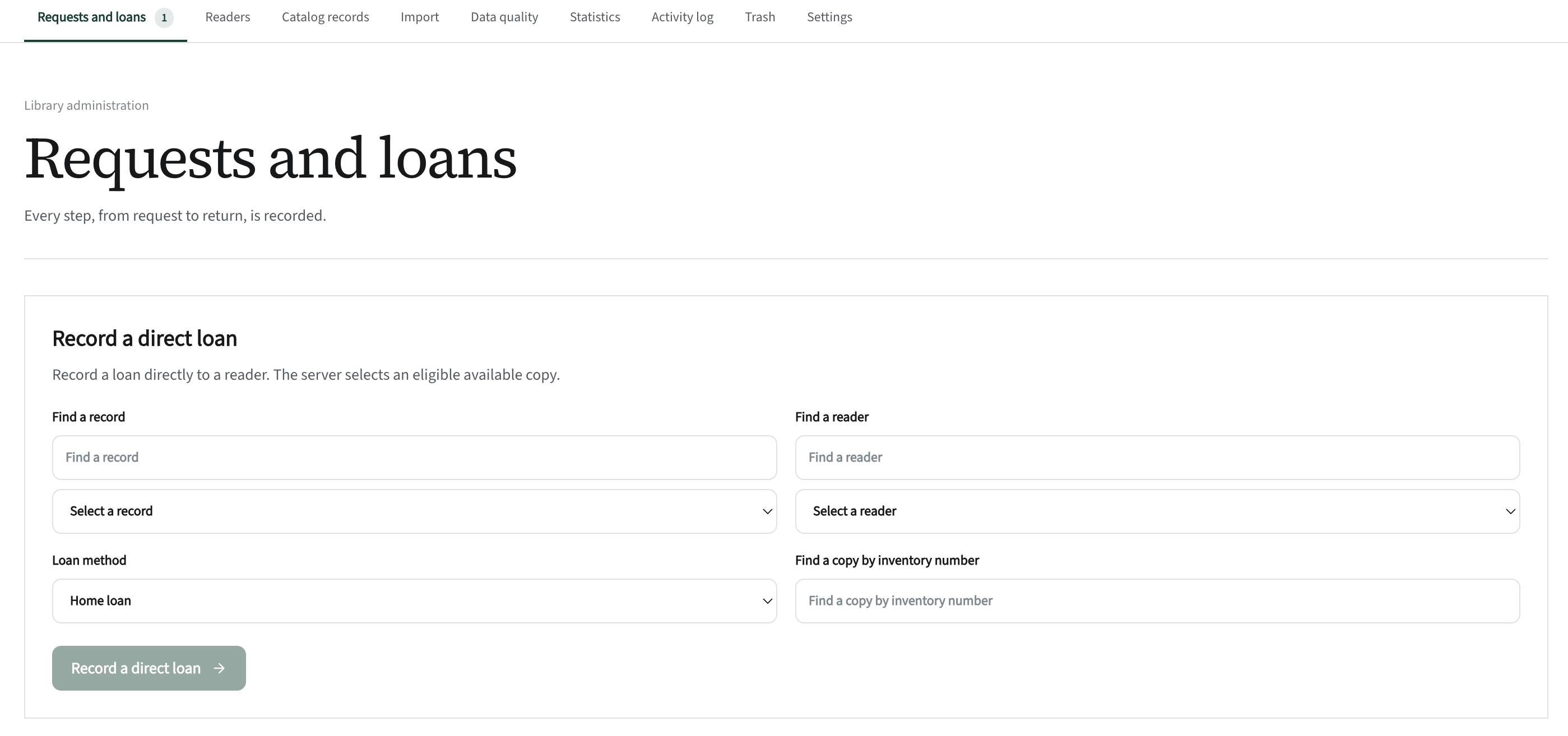
A reader walks in holding a book. Making them place an online request first would be odd. So there is an “Issue a loan” form: find the record, find the reader and choose how the book is used — home loan or reading room. The server picks a suitable free copy itself; if a specific copy is needed, it can be found by its accession number. An ordinary request with the status “On loan” appears in the reader’s history.
Why “Release hold” is a separate button
Expired holds could be released automatically. We deliberately didn’t do that. The reader may have said they would be late; the librarian may have arranged something with them in person. The system highlights the problem; the decision stays with a person.
How the same request looks from the reader’s side is covered in “The reader account”, and its whole journey in “The life of a request”.