DE005
Decision2 min read
Custom fields: flexibility without breakage
The set of record fields mirrored our Aleph export. But times change: tomorrow you’ll need a DOI, a link to an e-version, provenance. How to let the librarian create fields and not let them accidentally break everything.
Sooner or later every library system meets a field it doesn’t have. Usually that means a request to the developers and a wait. We wanted the librarian to be able to add a field themselves — in the settings, without a programmer.
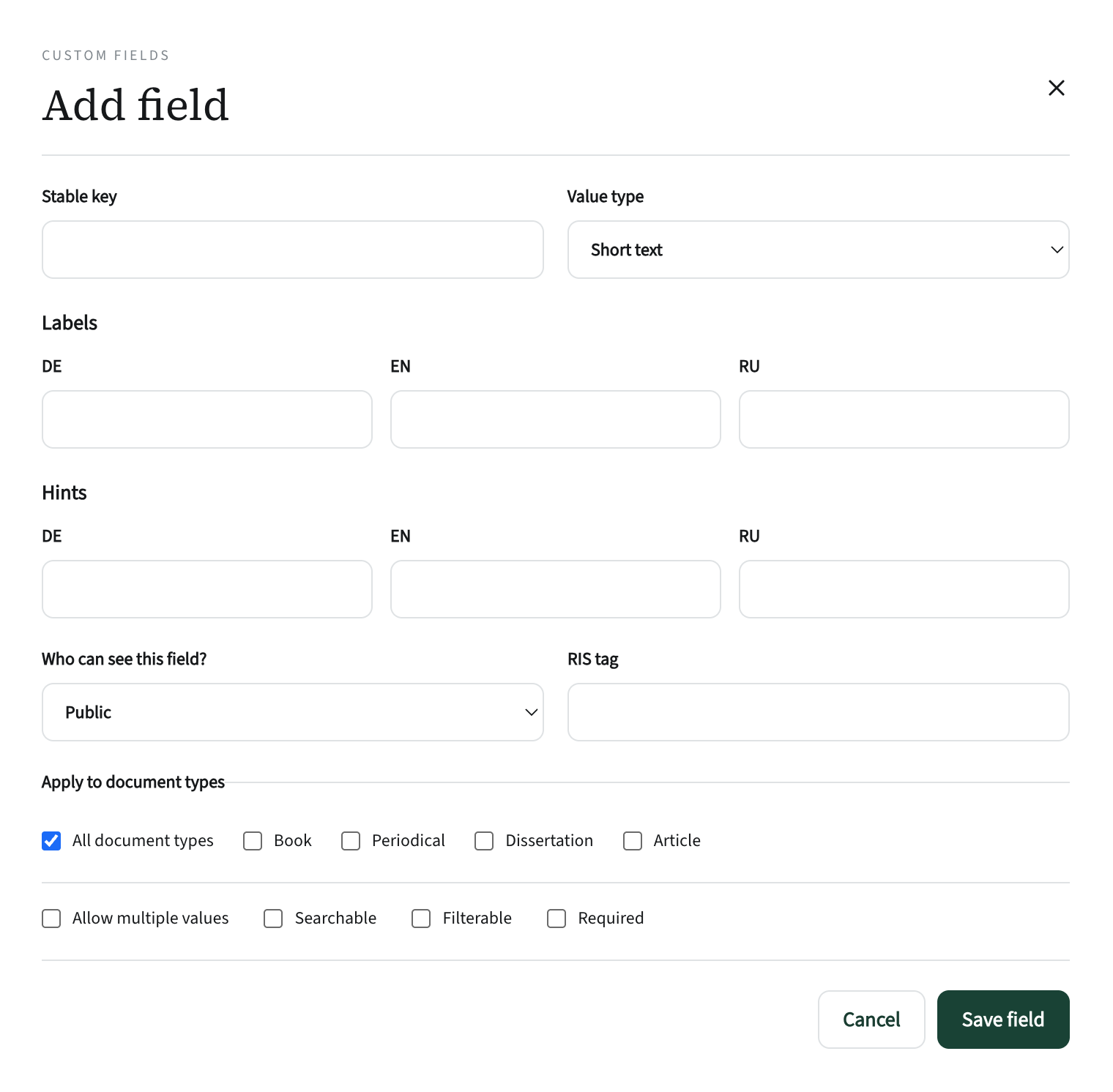
What can be defined
- A key — an internal name in Latin letters, such as
doi. It can’t be changed once created. - A label and a hint in three languages.
- A type: text, number, date, link, choice from a list.
- Which document types the field applies to.
- Visibility: all readers, or librarian only.
- Search, filter, required, RIS tag for export to Zotero.
Five safeguards
- A field with data can’t be deletedIt can only be archived: it disappears from forms, but the values are kept. Only an empty field can be deleted, confirmed by typing its key.
- The type changes only safelyIf even one value doesn’t fit the new type, the system shows how many records are affected and refuses the change.
- Internal stays internal“Librarian only” fields — price, supplier — are stripped out on the server. They are not on the record page or in exports, and public search doesn’t use them.
- The server validates valuesLinks only http and https, dates must be real dates, lists only the defined options.
- Everything is loggedCreating, archiving and changing a field’s type are recorded: who and when.
Why “strip on the server” rather than “hide in the interface”Anything hidden on the page still reaches the browser, and a curious user will see it in the developer tools. What is stripped on the server never reaches the browser. We checked this ourselves in the code rather than trusting the report.
Links with import and data quality
When loading a file, unrecognised columns can be mapped to custom fields on the spot, or a new field can be created. And empty required fields show up in “Data quality” as a separate group. Flexibility doesn’t turn into chaos.