Cataloguing by ISBN: DNB, K10plus and Crossref
The librarian types in an ISBN and, within seconds, sees a ready-made description from national catalogues. How it works, and why the record still isn’t saved automatically.
For a librarian, cataloguing new acquisitions is one of the longest routines. Title, authors, publisher, year, extent, series, subjects — ten to fifteen fields from the title page. Most of this data already exists in national catalogues. Why retype it?
How it works
- Enter the numberThe “New record” form has an “ISBN or DOI” field. The number is typed in, and Enter starts the search straight away.
- Validate the numberISBN check digit, ISBN-10 to ISBN-13 conversion, recognition of DOIs and doi.org links.
- Check for duplicatesIf the book is already in the catalogue — including hidden records and the trash — the system shows it and offers to add a copy. In that case it doesn’t even contact the external catalogues.
- Find descriptionsSeveral catalogues are queried in parallel, each with eight seconds to respond.
- Choose and checkThe librarian picks a description and the fields are filled in the form. They add the call number, collection and item themselves and save with the usual button.
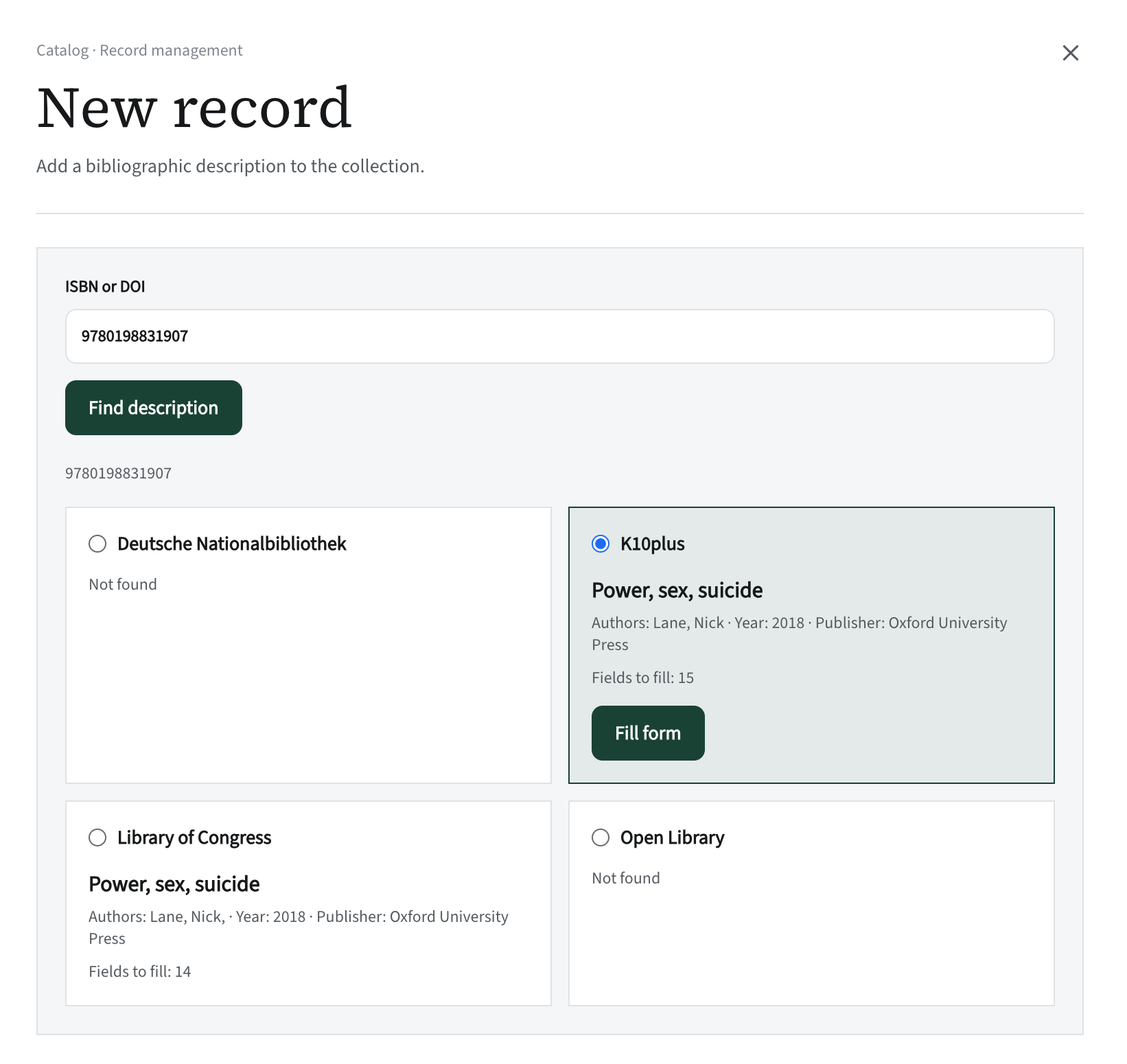
Where descriptions come from
- Deutsche Nationalbibliothek — German publications and GND subjects.
- K10plus — the union catalogue of many libraries in Germany, including Baden-Württemberg.
- Library of Congress and Open Library — English-language publications, as a fallback.
- Crossref and DataCite — articles and datasets by DOI.
All sources are free. The requests are made by the server, not the browser, and only the ISBN or DOI leaves the system — no reader data.
How we tested it
The ISBN of “Fly pushing”, already in the catalogue, triggered the duplicate warning. A German book was found in DNB and K10plus. The DOI of Watson and Crick’s famous paper on the structure of DNA filled in a description from Crossref. An ISBN with an invalid check digit was rejected with a clear message. And when DNB once failed to respond, the other sources kept working.
A bonus: the system logs where a description came from. A year from now it will be clear which data came from DNB and which was entered by hand.
- Deutsche Nationalbibliothek — dnb.de
- Library of Congress — loc.gov
- Open Library — openlibrary.org
- Crossref — crossref.org
- DataCite — datacite.org