A complete brief: ISBN lookup
We have said a lot about how to brief an AI agent. Here is a real brief that went to the agent, with commentary: why each part is there and what it prevents.
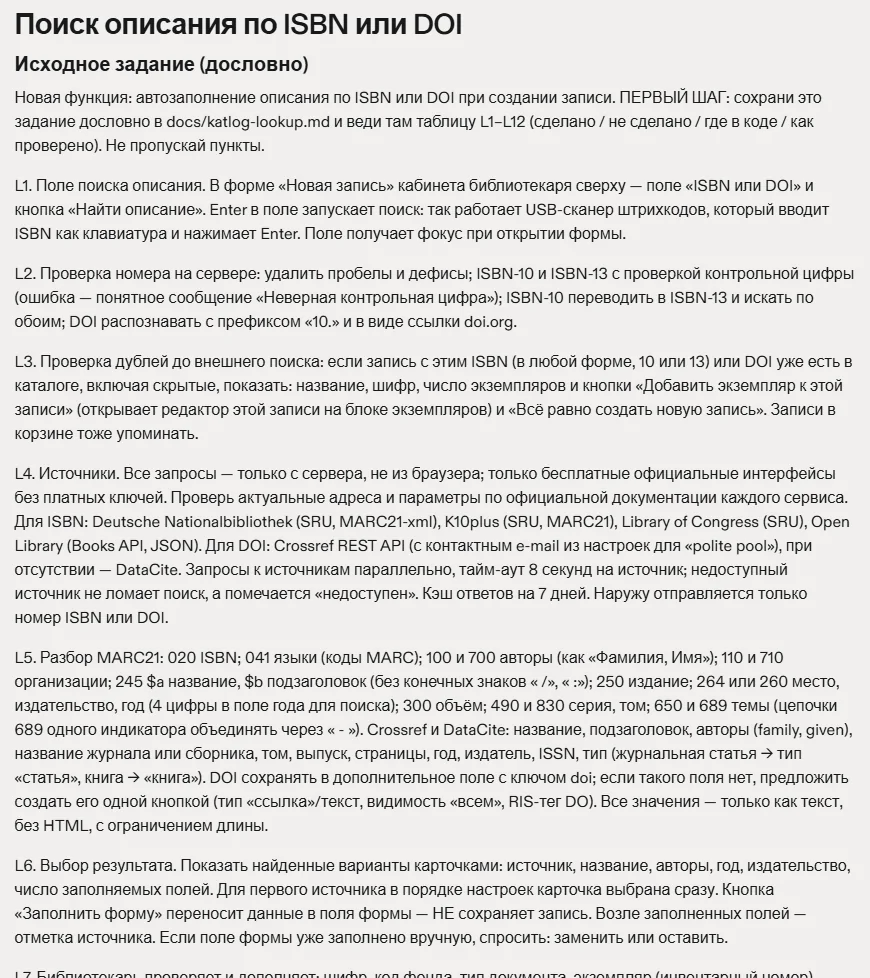
The “find a description by ISBN” feature arrived in Katlog in a single task. The agent completed it with hardly any issues. We don’t think that was luck, but a result of how the brief was written. Here are its key parts, translated from the Russian original with minor cuts.
Step one: save the brief
FIRST STEP: save this brief verbatim to docs/katlog-lookup.md and keep a table L1–L12 there (done / not done / where in the code / how it was checked). Do not skip items.
Why: in earlier tasks the agent lost the list mid-job. A file in the project doesn’t get lost, and the table turns a report from “all done” into a list you can check.
Duplicates before any external search
L3. Check for duplicates before the external search: if a record with this ISBN (in either form, 10 or 13 digits) or DOI already exists in the catalogue, including hidden records, show its title, call number, number of copies and the buttons “Add a copy to this record” and “Create a new record anyway”. Also mention records in the trash.
Why: the catalogue already has 121 records with duplicate ISBNs. Without a duplicate check as the first step, a convenient feature would only multiply them.
The record is not saved automatically
L6. The “Fill in the form” button transfers the data into the form fields — it does NOT save the record. Mark the source next to each filled field. If a field has already been filled in manually, ask: replace or keep.
Why: someone else’s description is a draft, not the truth. The capitalised “NOT” isn’t shouting; it guards against the most likely shortcut.
Security as a separate item
L11. The lookup endpoint is available only to librarians (checked on the server), with rate limiting and request-forgery protection. Only outgoing requests to the addresses of the configured sources are allowed; no addresses taken from user input are ever requested.
Why: a server that fetches things from the internet on a user’s request is a classic security hole. Unless you say so explicitly, the agent may build it to be convenient rather than safe.
Testing with concrete examples
L12. Test with examples: ISBN 0-87969-711-3 (the duplicate warning must trigger — this book is already in the catalogue), any ISBN of a German book that is not in the catalogue, DOI 10.1038/171737a0, an ISBN with an invalid check digit, an unavailable source.
Why: “test it” is too vague. Five concrete cases, including a deliberately invalid one and a failure, make a check that can’t be passed on paper only.
The result
In its report the agent marked all twelve items, named the files and the verification method — and separately listed what it couldn’t verify: a real scanner and the full path in a browser. That honest report was possible because the brief explicitly required a “how it was checked” column.